
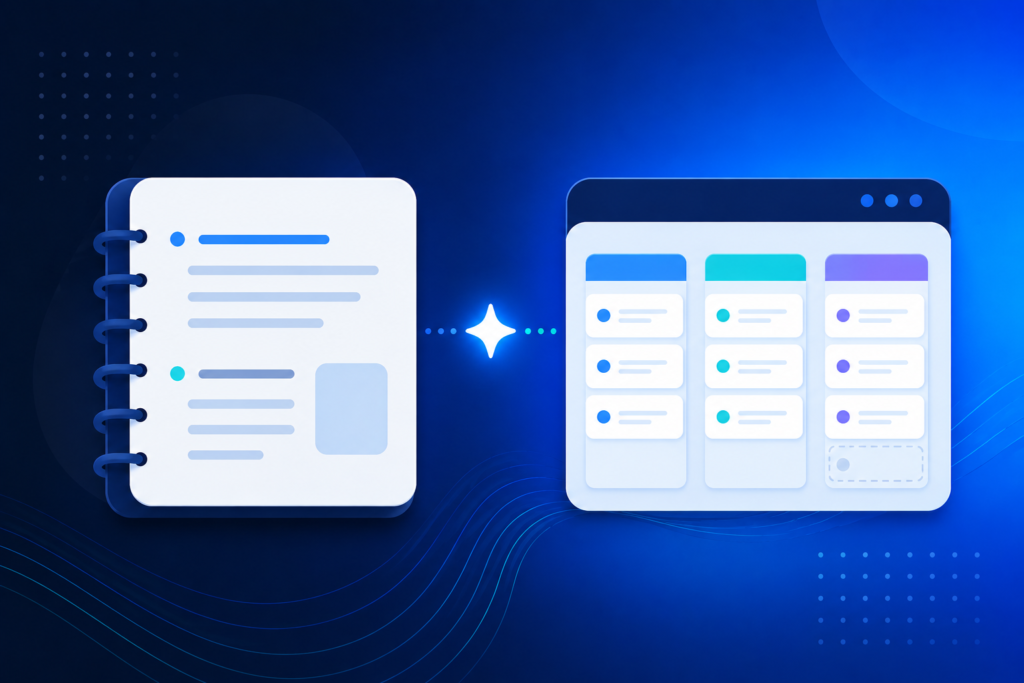
Notion AI vs ClickUp AI is the comparison that decides how your team documents, plans, and actually gets work done — not just which chatbot you use. Checking pricing directly on both companies' sites, the two have landed in almost the same place: Notion’s Business plan bundles its full AI suite at $20/user/month, while ClickUp’s Brain AI add-on brings a Business-tier seat to roughly $21/user/month combined. Same ballpark price, very different products underneath it.
Picking the wrong one means fighting your tool instead of using it — a flexible wiki forced into rigid task tracking, or a task manager stretched into an unstructured knowledge base. This guide compares where each one actually wins, not just what the pricing page promises.
Why This Comparison Matters for Growing Teams
Notion and ClickUp solve overlapping but distinct problems. Notion started as a flexible workspace for docs, wikis, and lightweight databases; ClickUp started as a dedicated project management tool with tasks, sprints, and Gantt charts. Both have since added AI and expanded toward the other’s territory, which is exactly why the comparison gets confusing. The right pick usually comes down to which structure your team already thinks in — free-form pages, or structured task lists.
That structural difference also shows up in how each company prices AI. Notion folds it into one all-in tier; ClickUp sells it as a separate add-on, billed on every paid seat whether that person touches AI or not. Neither model is wrong, but they change the real cost very differently as a team grows.
Notion AI vs ClickUp AI: How to Choose
Before comparing features line by line, weigh these factors against how your team actually works:
- Primary workflow: do you need a flexible knowledge base first, or structured task and project tracking first?
- AI pricing model: Notion bundles AI into one tier; ClickUp sells it as a separate add-on on every seat, used or not.
- Team-wide rollout: ClickUp requires every workspace member on the same plan tier — you can’t mix Free and Business users.
- Reporting depth: Gantt charts, workload views, and sprint reporting are far more mature in ClickUp than in Notion.
- Documentation depth: long-form docs, wikis, and flexible page structures are far more natural in Notion than in ClickUp.
- Budget model: per-seat AI add-ons scale differently — model your actual team size before comparing headline prices.
Notion AI and ClickUp AI, Feature by Feature
Independent pricing breakdowns and both companies' own documentation point to the same conclusion on notion ai vs clickup ai: one wins on flexible documentation, the other wins on structured execution. Here’s how that plays out in practice.
Notion AI: Best for Flexible Docs and Knowledge Bases
Notion’s AI lives inside the Business plan ($20/user/month billed annually), and includes Notion Agent for multi-step tasks, AI-powered workspace search, and AI Meeting Notes. Free and Plus users only get a limited trial of about 20 AI responses total, not ongoing access. Where Notion pulls ahead is flexibility: pages, databases, and wikis can be restructured on the fly, and Notion Agent can draft documents, summarize meetings, and query your workspace in plain English. Its more advanced automation layer, Custom Agents, runs on a separate credit system priced at $10 per 1,000 monthly credits. For teams whose core problem is scattered documentation and unsearchable knowledge, Notion AI tends to close that gap faster than a task-first tool.
ClickUp AI: Best for Structured Task and Project Management
ClickUp takes the opposite approach in the notion ai vs clickup ai comparison: AI is a separate line item, not bundled into any tier. Brain, its standard AI plan, costs $9/user/month on top of a paid workspace plan — pushing a $12/month Business seat to roughly $21/month combined. A more advanced Everything AI tier at $28/user/month adds Super Agents, an AI notetaker, and image generation. Where ClickUp wins is structure: Gantt charts, workload management, sprint reporting, and thousands of monthly automations come standard on Business, areas where Notion is comparatively thin. For teams whose core problem is tracking who’s doing what and when, ClickUp’s task-first structure tends to fit more naturally than a flexible-page tool.
When Teams Actually Use Both
Because notion ai vs clickup ai isn’t strictly either/or for every team, it’s common to see them paired rather than competing head-to-head: Notion as the company wiki and long-form documentation layer, ClickUp as the day-to-day task and sprint tracker. That’s a real cost stack — two AI add-ons instead of one — so it only makes sense once both workflows are genuinely active, not as a default starting point.
| Factor | Notion AI | ClickUp AI |
|---|---|---|
| Cheapest tier with full AI | Business — $20/user/mo (AI included) | Business + Brain — ~$21/user/mo combined |
| AI pricing model | Bundled into one plan | Separate add-on, billed per seat |
| Core strength | Docs, wikis, flexible databases | Tasks, sprints, Gantt, reporting |
| Free plan AI access | Limited trial (~20 responses) | Trial access only |
| Best fit | Knowledge-first teams | Execution-first teams |
Common Mistakes When Choosing Between Notion AI and ClickUp AI
- Comparing headline plan prices only. Adding AI changes the real per-seat number significantly on both platforms.
- Rolling AI out workspace-wide on day one instead of piloting with the team that needs it most.
- Choosing based on which tool a competitor uses, rather than which structure your team already thinks in.
- Forgetting ClickUp bills Brain on every paid seat, whether that person touches AI or not.
- Treating notion ai vs clickup ai as a permanent choice — needs change as a team grows past its first 10-15 people.
Frequently Asked Questions
Which is better, Notion AI or ClickUp AI?
Neither wins outright. Notion AI fits teams whose main problem is documentation and knowledge management, while ClickUp AI fits teams whose main problem is structured task and project tracking. The honest answer in the notion ai vs clickup ai debate depends on which one describes your team today.
Do I have to buy AI to use either platform well?
No. Both platforms are fully usable without their AI add-ons — Notion Plus and ClickUp Unlimited or Business cover solid collaboration on their own. AI becomes worth the extra cost once a team is generating enough repetitive writing or reporting work to actually offload.
Can Notion and ClickUp replace each other completely?
Mostly, but not perfectly. Notion can approximate task tracking with databases, and ClickUp can approximate docs with its Docs feature, but each is noticeably weaker outside its core strength — which is why some teams run both instead of forcing one tool to do everything.
Conclusion
There’s no single winner in notion ai vs clickup ai — the right choice depends on whether your team’s biggest bottleneck is scattered documentation or untracked tasks. Start with the criteria above, price out your actual team size including AI, and pilot before you commit the whole workspace. For a broader look at how AI assistants compare across the business, not just docs and tasks, see our full comparison of ChatGPT vs Claude vs Gemini, or our deeper look at Claude vs ChatGPT for Content Writing if writing is the bigger priority.
📌 This article completes our AI Tool Comparisons series. It’s a companion piece to our pillar guide, ChatGPT vs Claude vs Gemini: Which One Should You Choose for Your Business?, and sits alongside Claude vs ChatGPT for Content Writing. Together, the three guides cover how to choose an AI assistant, an AI writing tool, and now an AI-powered workspace.