
Without one, employees decide the rules themselves — usually without meaning to. Learning how to create an AI usage policy for your team matters because most businesses currently have none in any formal sense, even as usage grows unchecked. Research on workplace AI habits found that only 17% of companies have automated controls that block sensitive data uploads into AI tools, leaving a written policy as the primary — and often the only — line of defense most teams actually have.
This guide covers what a genuinely useful AI usage policy includes, not a generic legal template nobody reads past the first page.
Why an Unwritten Policy Isn’t a Policy
When there’s no formal guidance, individual employees make individual judgment calls about what’s safe to share — some cautious, some not, with no consistency across the team. That inconsistency is exactly where risk concentrates, not because anyone’s being careless on purpose, but because nobody’s actually told them where the line is.
A policy doesn’t need to be long to be effective. It needs to be specific enough that someone can actually apply it in the moment they’re about to paste something into a chat window.
How to Create an AI Usage Policy That Actually Gets Used
- Keep it short enough to actually read, not a 20-page document that gets skimmed once and forgotten.
- Name the approved tools explicitly, not just a vague "use AI responsibly" statement.
- Define data categories concretely, with real examples relevant to your business.
- Include a simple reporting path for questions or mistakes, without fear of punishment for asking.
- Revisit it quarterly, since new tools and use cases appear faster than most policies get updated.
What to Include in an AI Usage Policy
An Approved Tools List
Name the specific AI tools your team is cleared to use, and note which tier (enterprise vs. free) applies. This single section does more to reduce shadow AI usage than any general statement about caution.
Clear Data Categories: What’s Safe and What Isn’t
Rather than a vague "don’t share sensitive data" instruction, list concrete examples relevant to your business — customer PII, financial figures, unreleased product details, source code. Specificity is what makes this section of how to create an ai usage policy actually usable in the moment, not just in theory.
A Review Process for New Tools
Define who evaluates a new AI tool before it’s approved for team use, and what that evaluation actually checks — training data policy, DPA availability, and data retention, echoing the vendor questions covered in our companion guide.
A Reporting Path for Mistakes
Someone will eventually paste something they shouldn’t have. A policy that makes reporting that mistake easy and blame-free catches problems early; one that doesn’t just pushes mistakes underground where they’re harder to catch.
The Four Sections Every Usable AI Policy Needs
Here’s how these four pieces fit together into one policy your team will actually reference, not just sign once.
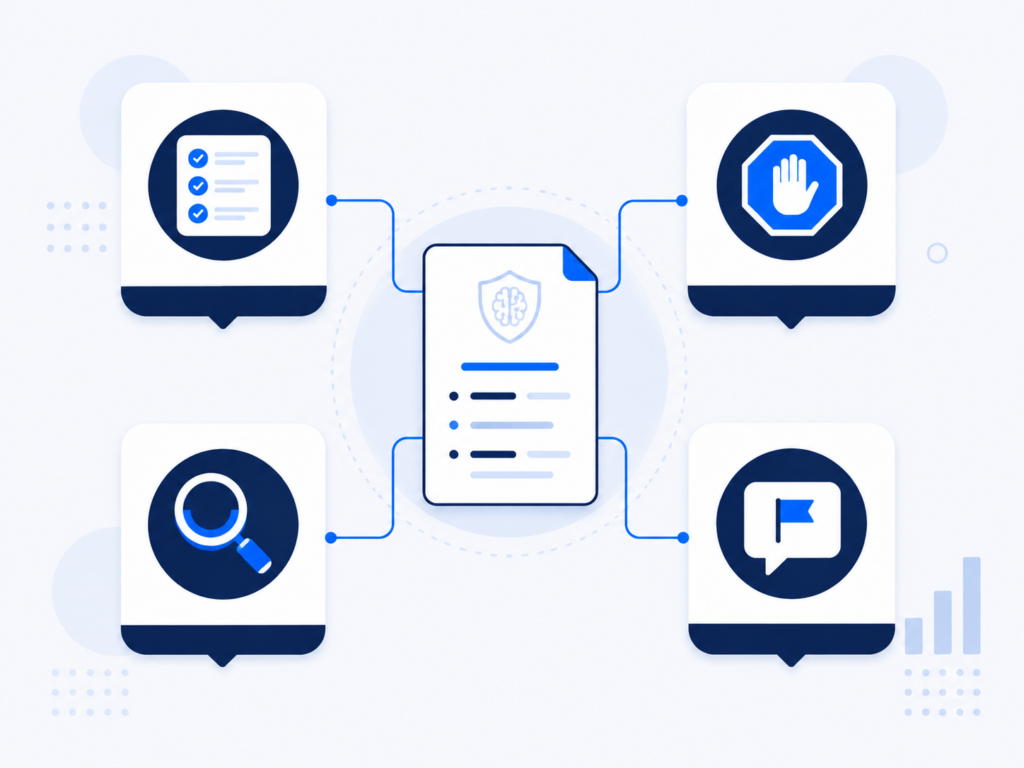
| Policy Section | What It Prevents | Keep It To |
|---|---|---|
| Approved tools list | Shadow AI usage | A short, named list |
| Data categories | Ambiguous judgment calls | Concrete, business-specific examples |
| Review process | Unvetted tools going live | One clear owner |
| Reporting path | Mistakes going unreported | Simple, blame-free |
Common Mistakes When Writing an AI Usage Policy
- Writing a policy too long for anyone to actually read.
- Using vague language like "use good judgment" instead of concrete examples.
- Never revisiting it as new tools and use cases emerge.
- Making the reporting process punitive, which discourages people from flagging real mistakes.
- Treating the policy as a one-time legal document instead of a living reference the team actually uses.
Frequently Asked Questions
How long should an AI usage policy be?
Short enough to read in a few minutes — one page covering approved tools, data categories, review process, and reporting typically outperforms a longer, more formal document nobody finishes reading.
Who should be responsible for how to create an AI usage policy at a small company?
Usually whoever owns operations or IT, with input from whoever handles the most sensitive data — legal review helps but isn’t required to draft a first working version.
How often should the policy be updated?
Quarterly is a reasonable default, given how quickly new AI tools and use cases appear across most teams.
Conclusion
Knowing how to create an AI usage policy comes down to specificity over length — a short document naming approved tools, concrete data categories, a review process, and a simple reporting path outperforms a long one nobody reads. Draft a first version this week, and revisit it every quarter as your team’s actual AI use evolves.
📌 This article completes our AI Guides & Tutorials series on data security. It supports our pillar guide, Protect Your Business Data When Using AI Tools, and pairs with What to Ask an AI Vendor Before Sharing Customer Data for vetting the tools this policy names.